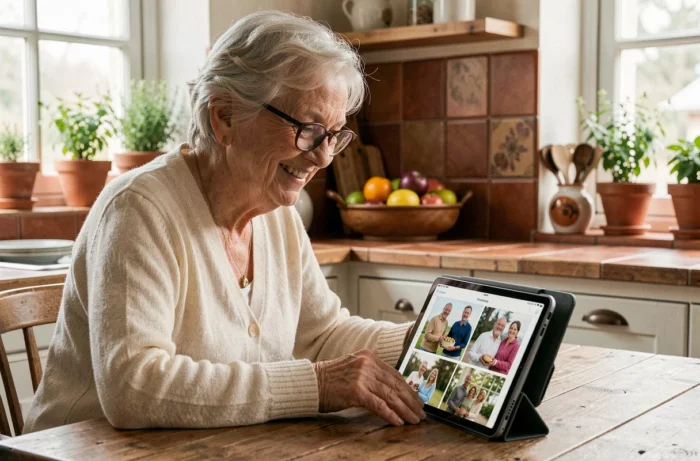
Famileo transforms the digital messages of an entire family into a paper newsletter delivered by post. However, using my Famileo account daily requires mastering a few mechanisms that are not always obvious: managing the family code, the role of the administrator, and the technical compatibility of the browser. This article compares the available functions and identifies the most common friction points to derive concrete uses.
Paper newsletter, photo album, and family wall: what each Famileo function covers
The most common confusion is treating the newsletter and the photo album as two versions of the same tool. Both coexist in the account but serve distinct purposes.
| Function | Main recipient | Format | Frequency | Layout |
|---|---|---|---|---|
| Paper newsletter | Grandparent or elderly relative | Printed newspaper, sent by post | According to the chosen subscription | Automatic (Famileo takes care of it) |
| Family wall | All registered members | Digital feed viewable on screen | Real-time | None (chronological feed) |
| Photo album | All registered members | Classified digital gallery | Free consultation | Sorting by date or event |
The key point to remember: the newsletter remains the only format that physically arrives at the recipient’s home. Publishing a photo on the family wall does not automatically include it in the next newsletter. Each message intended for printing must be posted in the designated flow for that purpose.
To better understand how to use my Famileo account with Le Cercle des Seniors, it is helpful to distinguish these three spaces right from registration, as most publication errors stem from there.
Family code and administrator role: two mechanisms not to be confused
The family code is a private access key, visible from the family wall of an already registered member. Any new relative enters this code in the “I join my family” section to create their profile for free, without subscribing to a new plan.
The administrator, on the other hand, is the only person who manages access and privacy of the account. They can remove a member, change the delivery settings of the newsletter, or alter the sending frequency. Only one administrator controls access and privacy of the family group.
Common errors related to the family code
- Confusing the family code with the login ID: the code is only for initial registration, not for later logging into the account
- Sharing the code on a public social network, which opens access to anyone with the link
- Forgetting to pass the code to geographically distant members, who sometimes expect an automatic invitation that will not come without manual action
When several members use the same device (shared tablet in a household, for example), synchronization errors occur when adding new relatives. The most reliable solution is to completely log out before another member logs in on the same device.
Browser compatibility: an underestimated technical obstacle
Famileo explicitly states that an outdated browser may block access to the service. The platform recommends upgrading to a recent version of Chrome, Edge, or Firefox. This detail may seem trivial to a digitally savvy user. For a grandparent accessing the family wall from an old tablet, it is a real roadblock.
Before reporting a malfunction, it is better to check the version of the browser installed on the concerned relative’s device. On Android, Chrome updates via the Play Store. On iPad, Safari updates with the iOS system itself, which may require a global update of the device.
Quick checklist before seeking support
- Check that the browser is up to date (recent version of Chrome, Edge, or Firefox)
- Ensure that cache and cookies are not preventing the loading of the login page
- Test the connection from another device to isolate the source of the problem
- Confirm that the ID used is indeed the registration email address, not the family code

Sending frequency and Famileo subscription: choosing the right rhythm
The subscription determines how often the newsletter is printed and shipped. Only one family member subscribes to the plan, and all others join the account for free. The plans vary according to the chosen periodicity, with no long-term commitment.
The common pitfall is choosing a frequency that is too high relative to the number of active contributors. If only two or three members regularly publish, a weekly newsletter may contain little content, reducing the reading interest for the recipient. In contrast, a monthly frequency with a large and active family can produce a dense and enjoyable newsletter.
The administrator can change the frequency at any time from the account settings. Adapting the frequency to the actual number of contributors avoids half-empty newsletters and oversized subscriptions.
Publishing an effective message on Famileo: what really matters
Since the layout of the newsletter is automatic, the contributor has no control over the final arrangement. Famileo assembles the messages received since the last edition and organizes them in a newspaper format. Two elements determine the quality of the result: the resolution of the photo and the length of the accompanying text.
A blurry or overly compressed photo will print poorly. Favoring landscape-oriented photos in good resolution significantly improves the paper output. Regarding text, a few sentences are sufficient: the newsletter format encourages short and personal messages rather than long narratives.
Messages shared on Famileo never automatically disappear, even after several years of inactivity. This detail reassures families who fear losing their archives, but it also means that each publication remains visible to all registered members, with no possibility of deletion by the author alone. The administrator is the only one who can intervene on the content if needed.
The determining factor in the daily use of Famileo is neither the interface nor the pricing, but the number of members who publish regularly. A family where five or six people send news each week produces a lively newsletter. With only one contributor, the tool loses its purpose. The first tip, ultimately, is to share the family code with as many relatives as possible, and then to remind them from time to time that every message counts.